Cybersecurity Basics for Businesses Without an IT Department
Key Takeaways:
- Most small businesses don’t have dedicated a IT staff or cybersecurity budget, and many are just a single person. But effective protection doesn’t require large teams or major investment.
- Multi-factor authentication, password managers, software updates, employee awareness, and data backups are among the most efficient, cost-effective steps a small business can take.
- Cybersecurity is not a one-time project. Effective defense requires consistent, ongoing habits to deter criminals seeking out easy targets.
Most small business owners understand the importance of cybersecurity when it comes to protecting their company. But for those lacking a dedicated IT staff and budget—not to mention the time to spend hours sorting through technical guidance—actually implementing and maintaining effective defenses against today’s highly sophisticated fraudsters can seem impossible.
Indeed, of the 35 million small businesses in the U.S., more than 8 in 10 have no paid employees beyond the owner, meaning it’s up to a single person to handle cybersecurity—along with accounting, sales, inventory, customer service, and all of the other critical aspects of keeping a company running, of course. Even among relatively sizeable staffs, there typically isn’t enough spare bandwidth to add IT duties to team members’ other core responsibilities.
The good news for small business owners with limited resources is that effective cybersecurity doesn’t require an IT department, a large budget, or a deep technical background. In fact, many of the most effective protections against cybercrime are surprisingly simple and accessible.
Read on to learn more about the highest-impact, lightest-lift actions a small business owner can take—ranging from authentication and password security, to employee awareness and data backup—in order to significantly reduce their exposure to cybercrime and fraud, without adding another full-time job to their already full plate.
Start with Multi-Factor Authentication
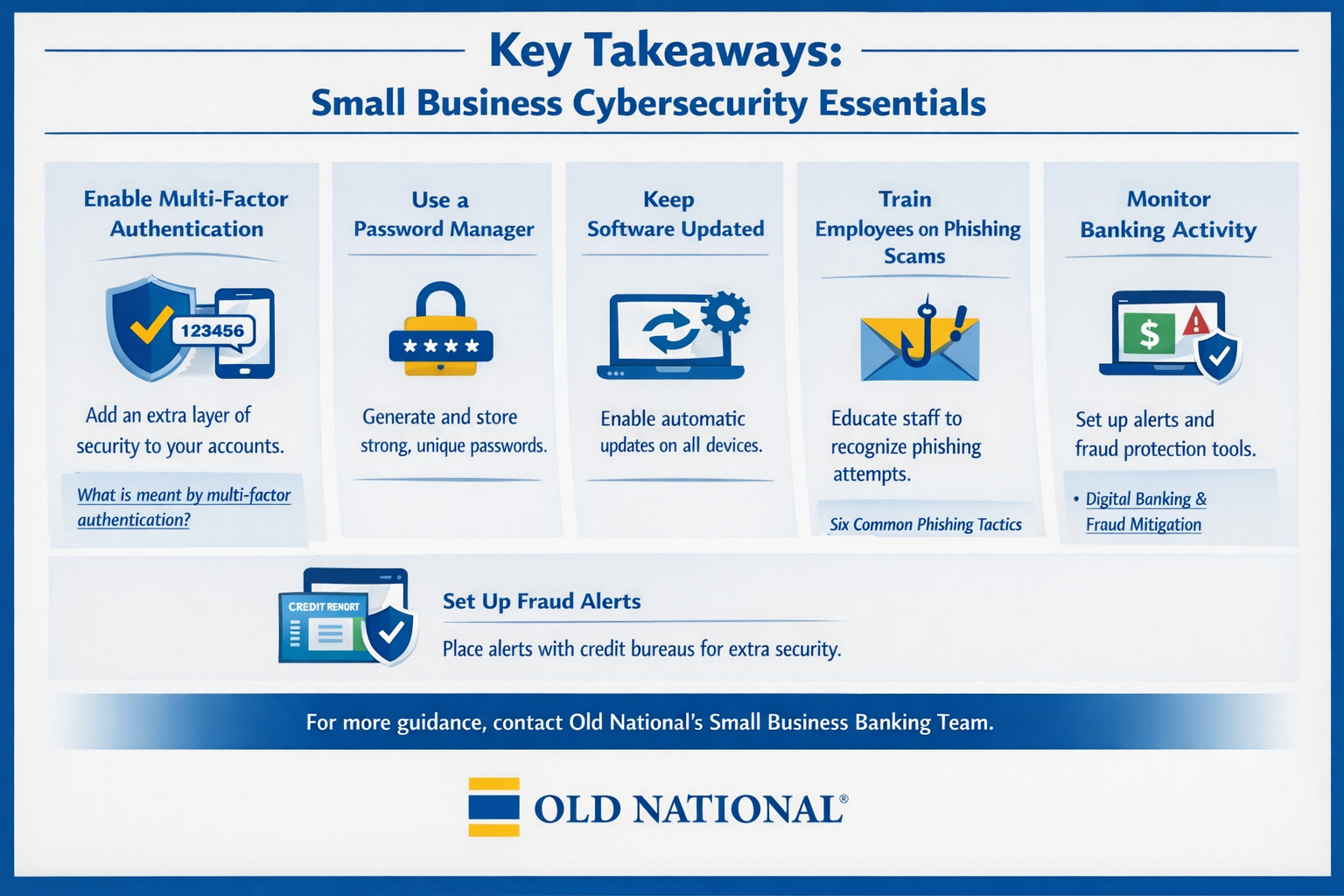
One key step a small business owner should take immediately to protect their systems from unauthorized access is enabling multi-factor authentication (MFA) for every account and login they or their employees use across every platform that offers it. MFA requires a second form of verification, (typically a code sent to a phone or generated by an app) in addition to a password, to gain access. That means even if a criminal obtains a password through a phishing attack or a data breach, they still can’t access the account. MFA should be turned on for business email, banking accounts, accounting software, cloud storage, and any platform that stores customer or financial data. It can easily be enabled as an option on most major business software platforms at no cost, and setup takes just minutes.
Use a Password Manager
Weak and reused passwords are among the most common entry points for attackers. Many people use the same password across multiple accounts, which means a single breach on one platform can compromise logins everywhere. A password manager addresses this issue by generating and storing strong, unique passwords for every account, so the owner only has to remember one master password. Many password manager options offer business plans at low monthly costs, and also offer free tiers that work well for sole proprietors.
Keep Software and Devices Updated
Ransomware and other malware frequently exploit known vulnerabilities in outdated software. Software updates patch these security flaws, but only if the new version is actually downloaded. The simplest way to ensure protections are current is to enable automatic updates on every device used for business purposes, like computers, phones, and tablets. Auto-updates should be enabled for operating systems, browsers, apps, and any business management software, and any device too old to handle the latest updates should be replaced.
Build Employee Awareness
Because phishing drives the overwhelming majority of successful attacks, simple employee awareness (or owner awareness, for sole proprietorships) is one of the highest-return investments a business can make. Phishing emails have become increasingly convincing, often impersonating banks, vendors, or other legitimate contacts. A few key habits can significantly reduce the risk. These include verifying unexpected requests for payment or login credentials by contacting the purported sender directly through a separate channel, hovering a cursor over links before clicking, and being skeptical of any message that creates urgency or pressure to act immediately. Check out Old National's guide to common phishing tactics. Also, free and low-cost phishing awareness training tools are widely available from a variety of sources.
Protect Your Business Banking
Business bank accounts deserve particular attention because unauthorized access can have immediate—and damaging—financial consequences. Small business owners should use a dedicated device for banking when possible, access accounts only on secured networks (as opposed to unprotected WiFi, for example), and keep MFA enabled.
Reviewing account activity regularly can help catch any unfamiliar activity before it’s too late. Meanwhile, fraud monitoring tools and account alerts offered by banks including Old National can notify business owners of unusual activity in real time. Users can set up transaction alerts for large withdrawals, new payees, or transfers above a certain threshold, in order to get early warning signals of potential fraud.
Set Fraud Alerts
Along with setting defenses around bank accounts, small business owners should also set up fraud alerts with the major credit bureaus. These systems prompt creditors to take extra steps before opening new accounts or extending credit. Businesses that suspect their information already has been compromised can set up a credit freeze. Meanwhile, the IRS’s Identity Protection PIN is a free-to-enroll program that prevents tax fraudsters from filing a fake return using a business’s or owner’s tax ID number. More ways to protect yourself from scams and identity theft
Back up Business Data
Reliable data backup is one of the most effective defenses against the growing threat of business ransomware attacks. Having recent backups of key data and records that are stored separately from the primary network significantly limits the potential harm from an attack, turning it from a potential catastrophe into an inconvenience. A standard recommendation is the “3-2-1” approach: three copies of all important files, saved across two different types of storage media, with one copy stored offsite. Backups should be tested periodically to confirm they can actually be restored.
Small Steps Make a Strong Defense
Small business owners who leverage the simple, cost-effective steps described above will have addressed the key vulnerabilities that drive the overwhelming majority of successful cyber attacks—even without a dedicated IT team or budget.
Most fraudsters will seek out the path of least resistance in choosing their targets, and a small business that has implemented basic cybersecurity steps is much less appealing than one that hasn’t. But consistency is key, and effective defense requires treating cybersecurity as a recurring habit rather than a one-off project—a truism that holds for any business, no matter how large or small it may be.
For more guidance on protecting your small business from cybercrime, connect with Old National’s Small Business Banking team today.
